
Partner Knowledge Base
Create a Customer user
What role/s can do this? Partner admin, Partner provisioning.
Partners with the relevant role are able to create additional partner portal users as well as customer users. Customer users need to be associated with a customer and assigned a customer role in order to access the customer portal.
When a new user is created and activated, they will receive an email with a link to their portal, username and a temporary password.
| Note: You can create users in the Users tab when managing a customer, meaning the user will automatically be associated with the selected customer. |
Customer Roles #
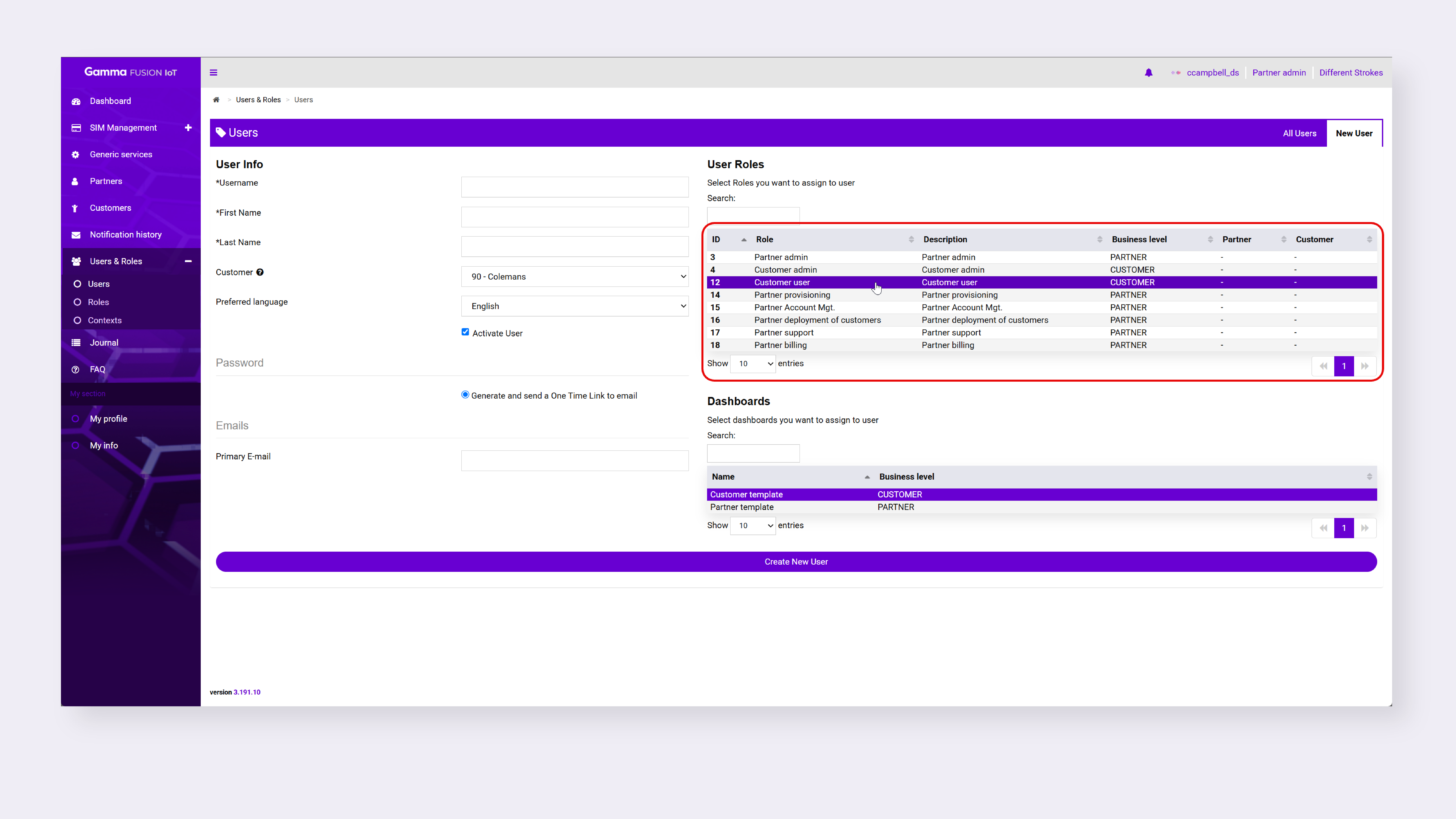
Customer users need to be assigned a customer role. There are 2 customer roles: Customer Admin and Customer User. For more information on these roles please refer to the Customer Role Matrix on the Customer Knowledge Base.
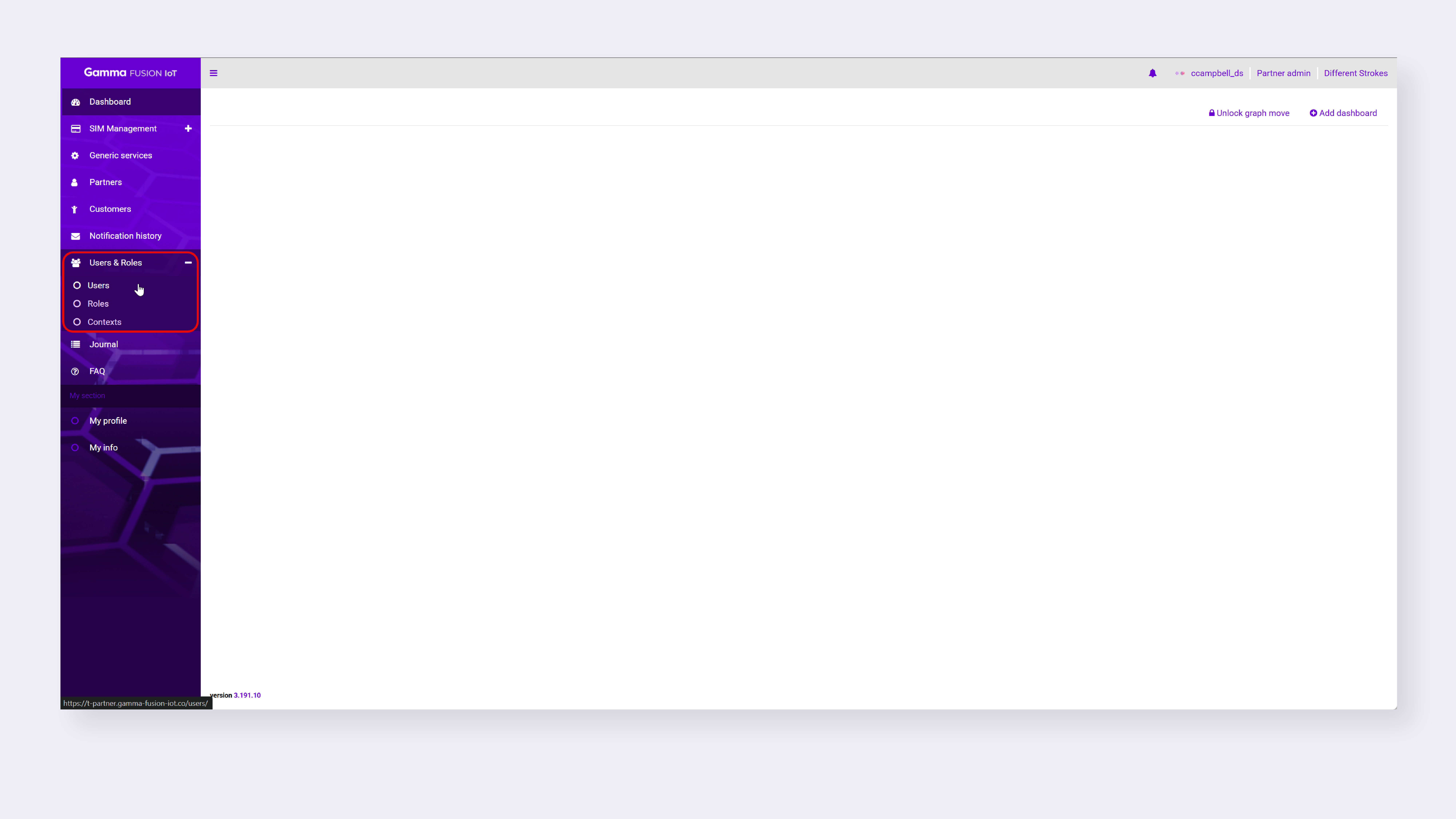 1. In the side menu, click Users & Roles and then click Users

Create a Customer user #
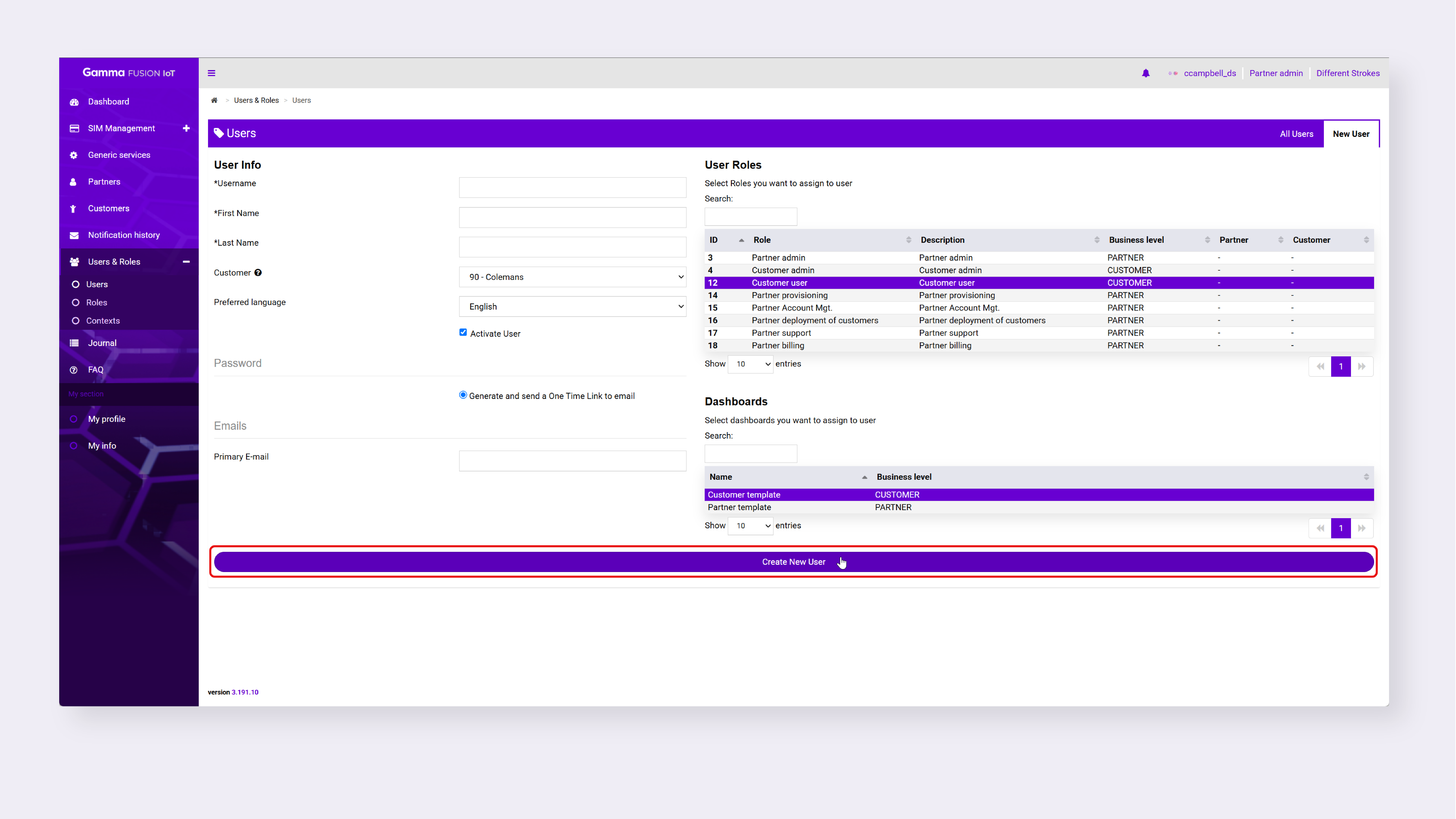
Customer users and admins are created by selecting a customer role and associating the user account with a customer.
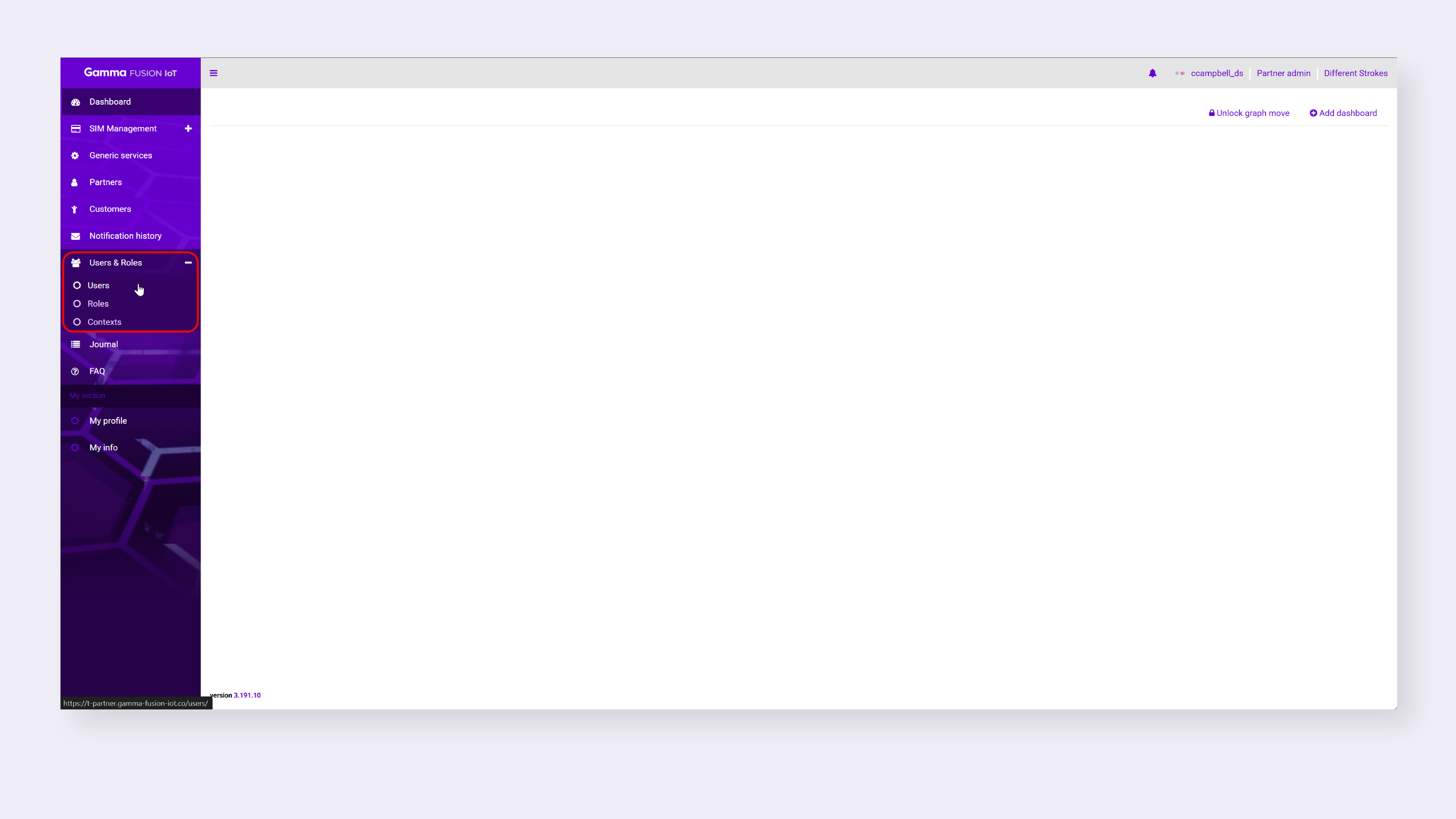
- Navigate to Users & Roles → Users
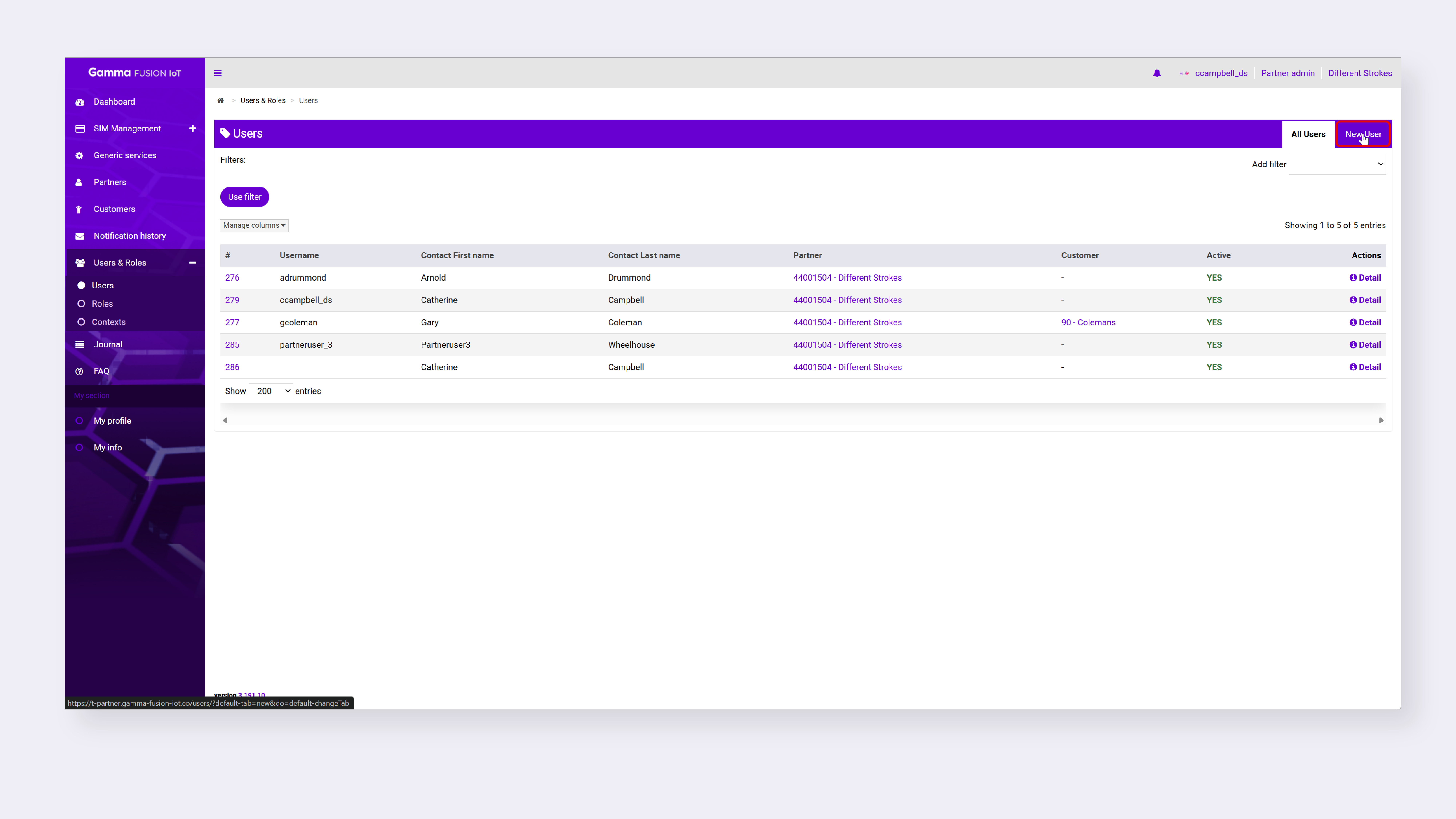
- Select New User
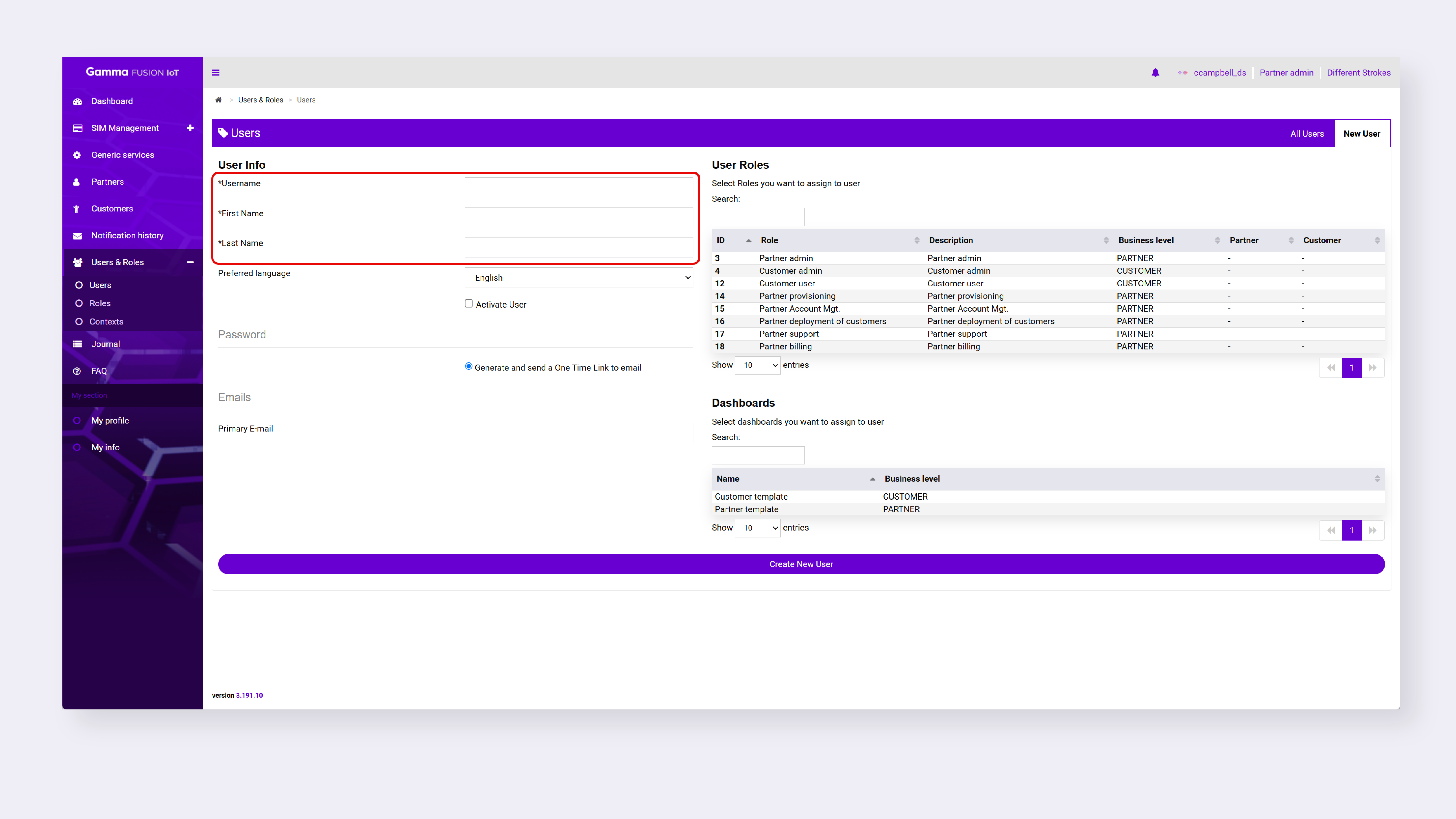
- Enter the Username, First Name and Last Name
- Select the customer role/s you want to assign to the user
- Select the Customer to assign the user to (if this is not visible, select a customer role)
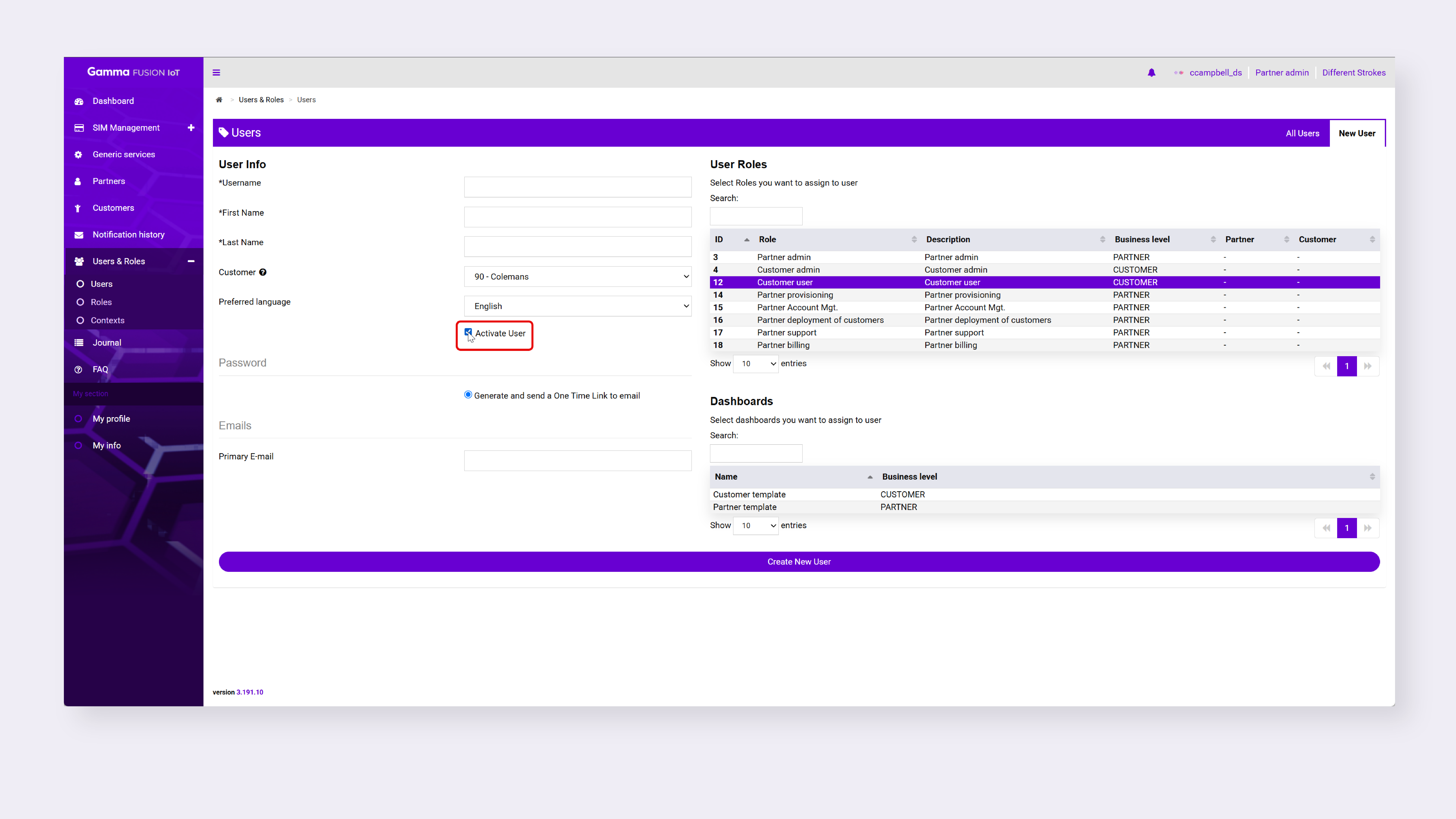
- To activate the user, enable the checkbox next to Activate User
- Review the Password requirements
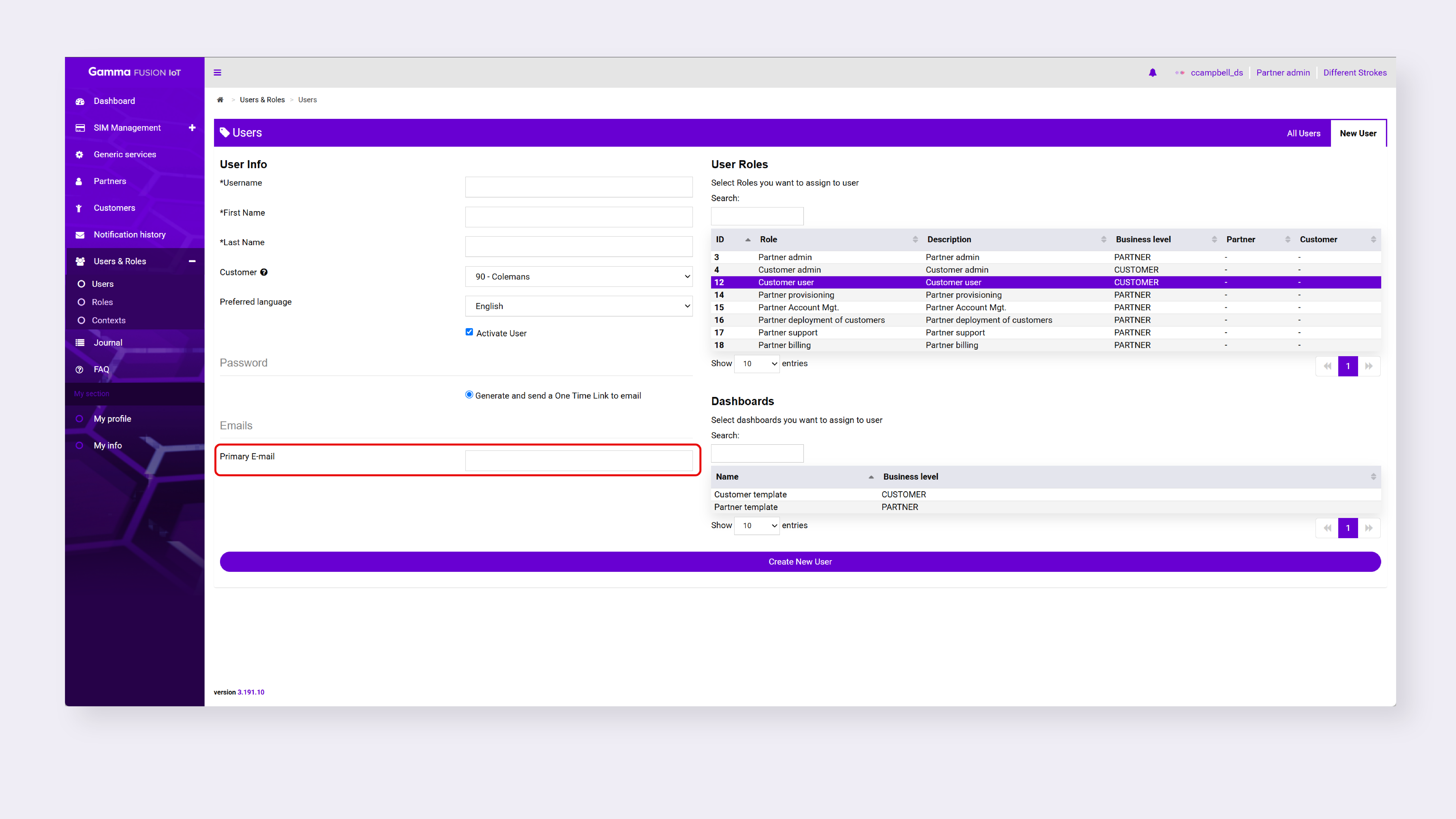
- Enter the user’s primary email
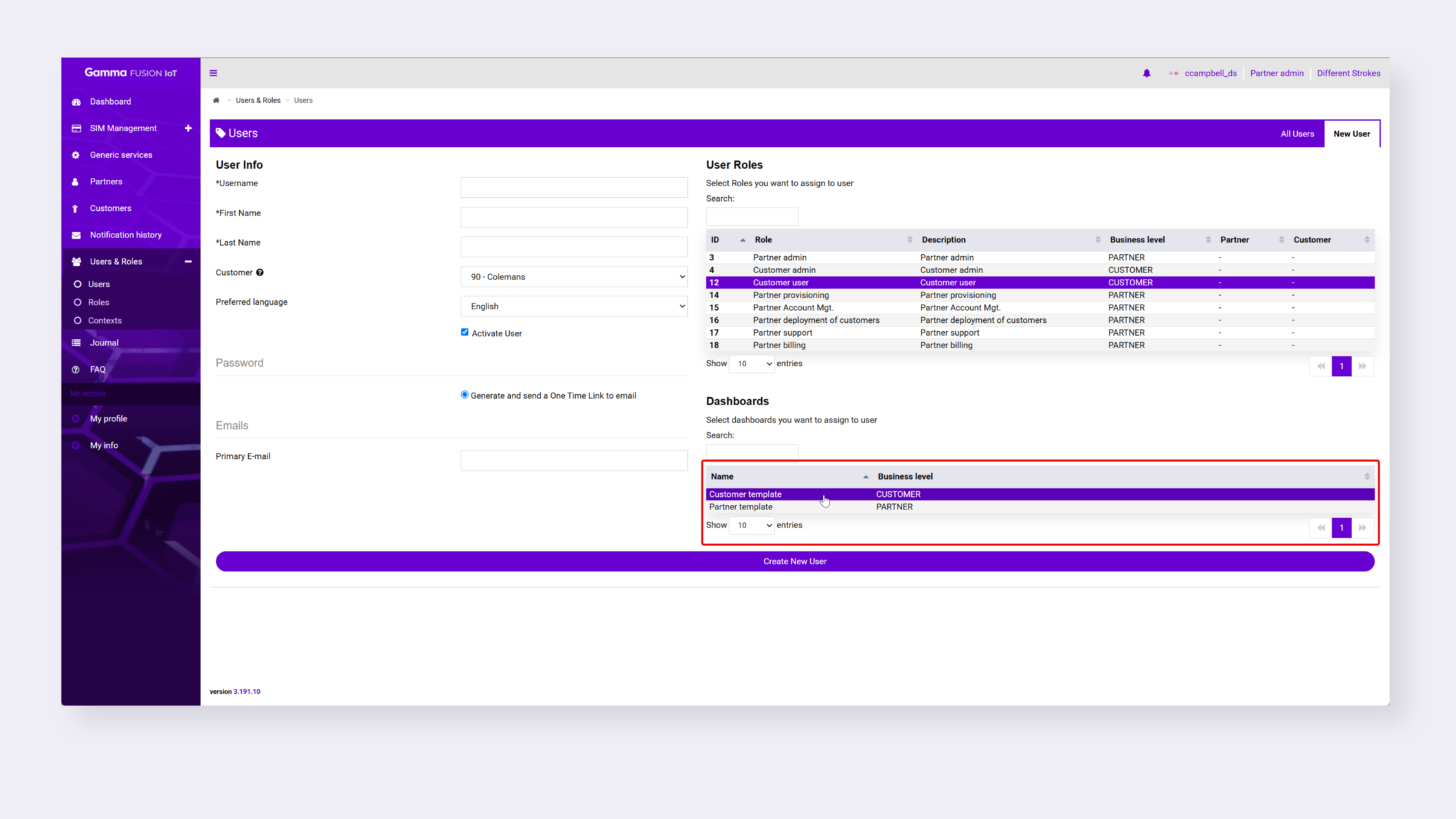
- Select the dashboard/s you want to assign to the user
- Click Create New User
The new user displays in the table.