
Partner Knowledge Base
View Customer CDRs
What role/s can view this? Partner admin, Partner provisioning & Partner deployment of customers.
Every customer will generate Call Detail Records (CDRs) that contain usage information and can be exported for further analysis.
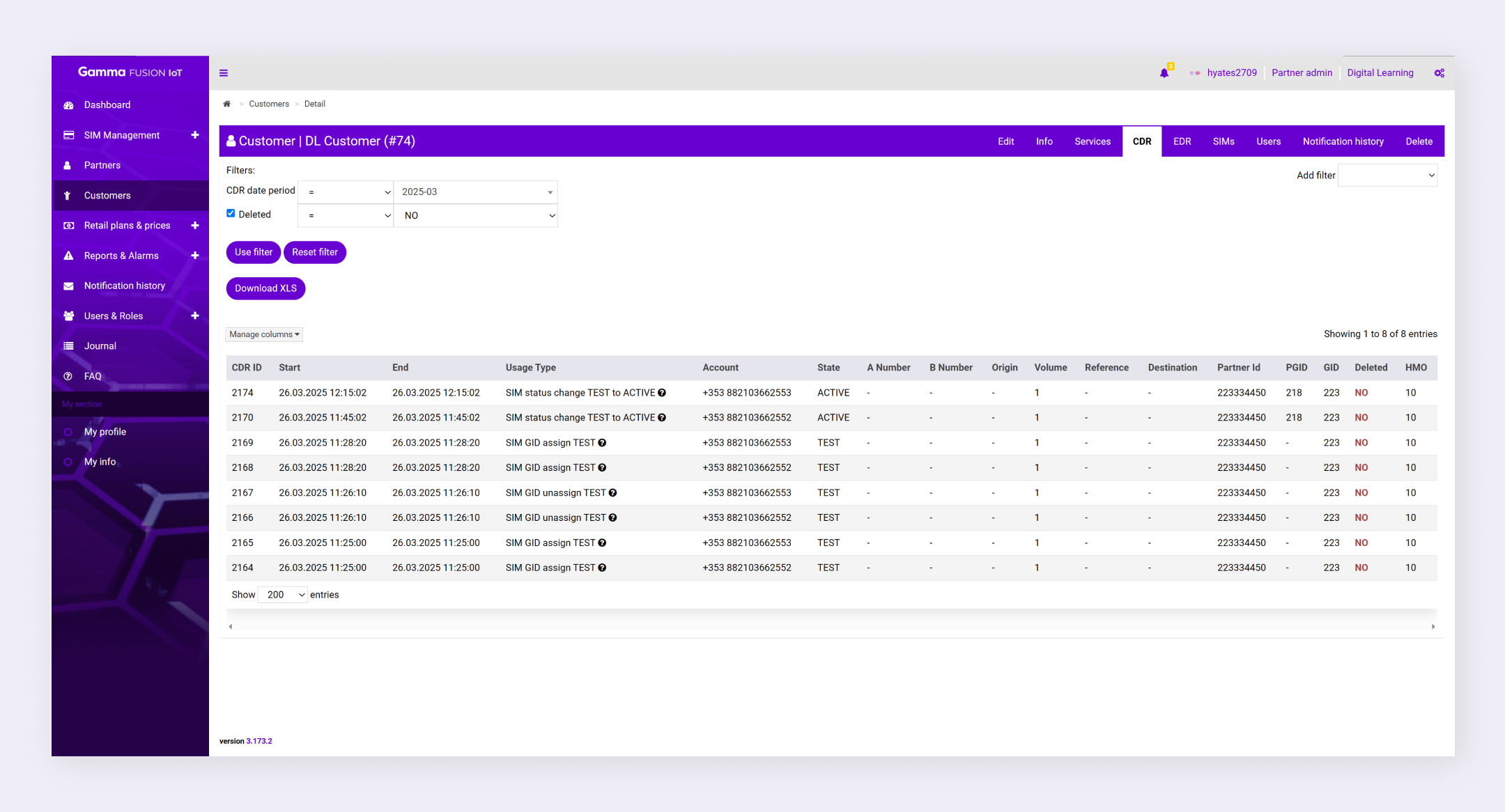
To view customer CDRs:
- Navigate to Customers
- Click Detail in the Actions column for the relevant customer
- Select the CDRs tab
Export all CDRs #
- Navigate to Customers
- Click Detail in the Actions column for the relevant customer
- Select the CDR tab
- Click Download XLS
All CDRs will be exported into a .XLS file.
Export specific CDRs #
- Navigate to Customers
- Click Detail in the Actions column for the relevant customer
- Select the CDR tab
- Apply Filters to list the relevant CDRs (See Search and filters)
- Click Download XLS
The filtered CDRs will be exported into a .XLS file.
| Note: The export file will contain all the columns that are visible in the CDRs table. To change what data is exported, remove columns you don’t need to export. |